




Tip: Click the images to enlarge the details.
Overview
Contacts allow you to track companies and individuals, link them to sales activities, and record notes in one centralized location. LinenFinder LeadFlow supports both Company and Individual contacts.
The sections below explain how to add companies and individuals to the LinenFinder LeadFlow site.
Accessing the Contacts Screen
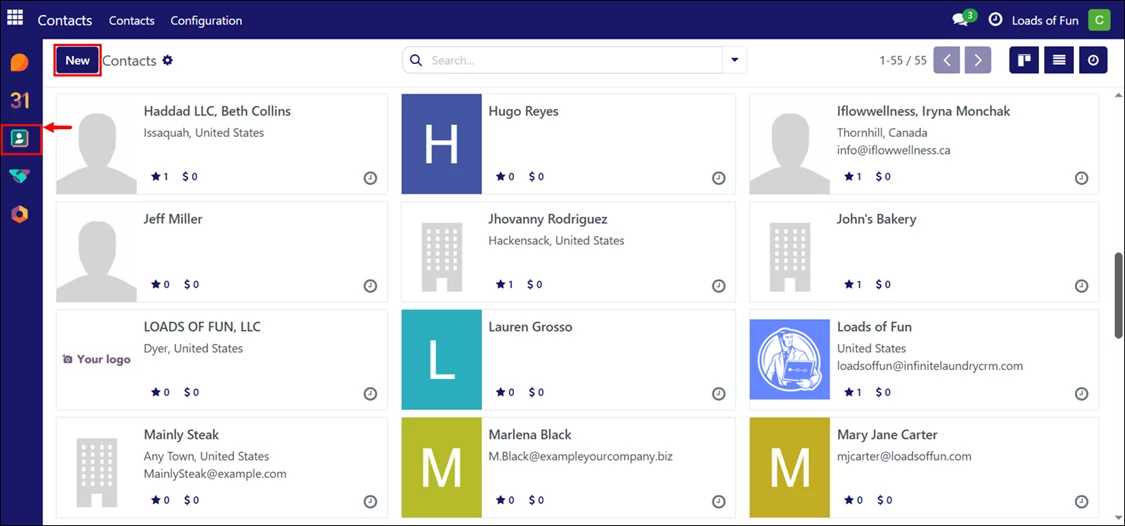
Log in to your LinenFinder LeadFlow account and select the Contacts screen from the left-side navigation menu.
The Contacts screen displays all saved companies and individuals. From this screen, you can view contact details, opportunities, quotations, calendars, and scheduled activities.
If needed, contacts and leads can be imported to LeadFlow during the implementation process.
To add a new company or individual, click “New.”
Adding a Company
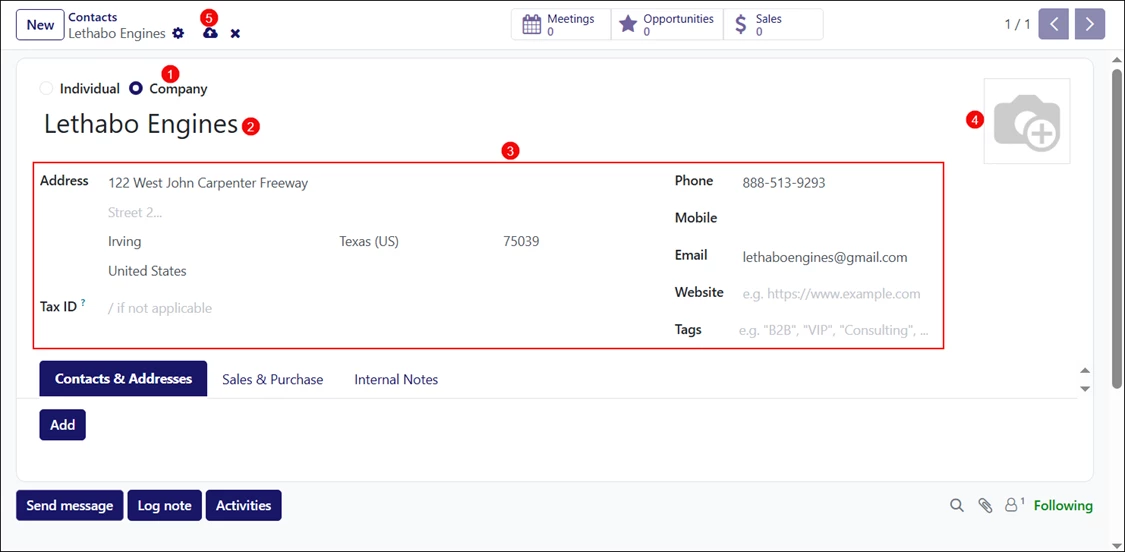
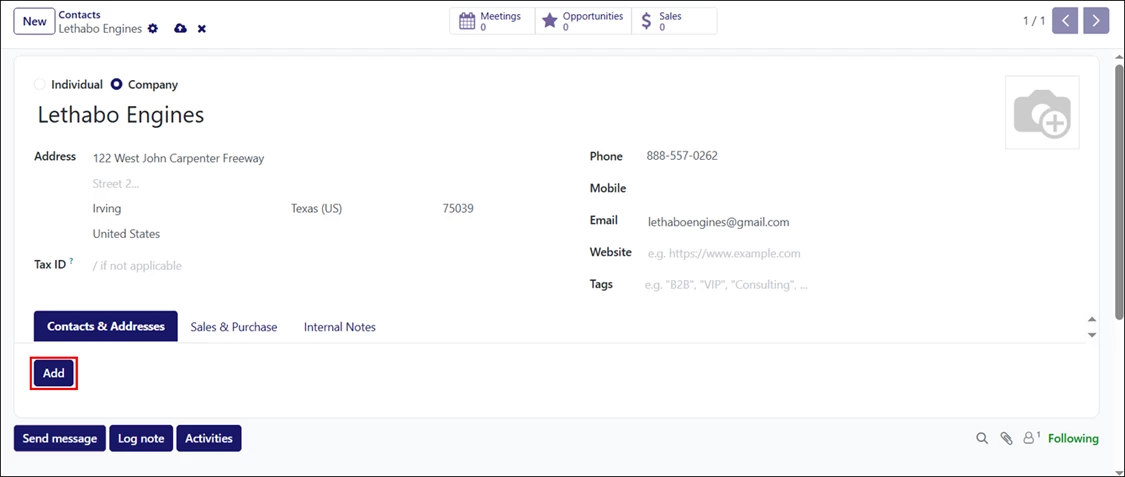
- Select the “Company” radio button.
- Enter the company name.
- Complete the applicable fields, such as address, tax ID, phone number, email address, and website.
- Click the picture icon to upload a company logo, if available.
- Optional – Click the cloud icon to save the changes. If you do not manually save, the system will automatically save after several minutes.
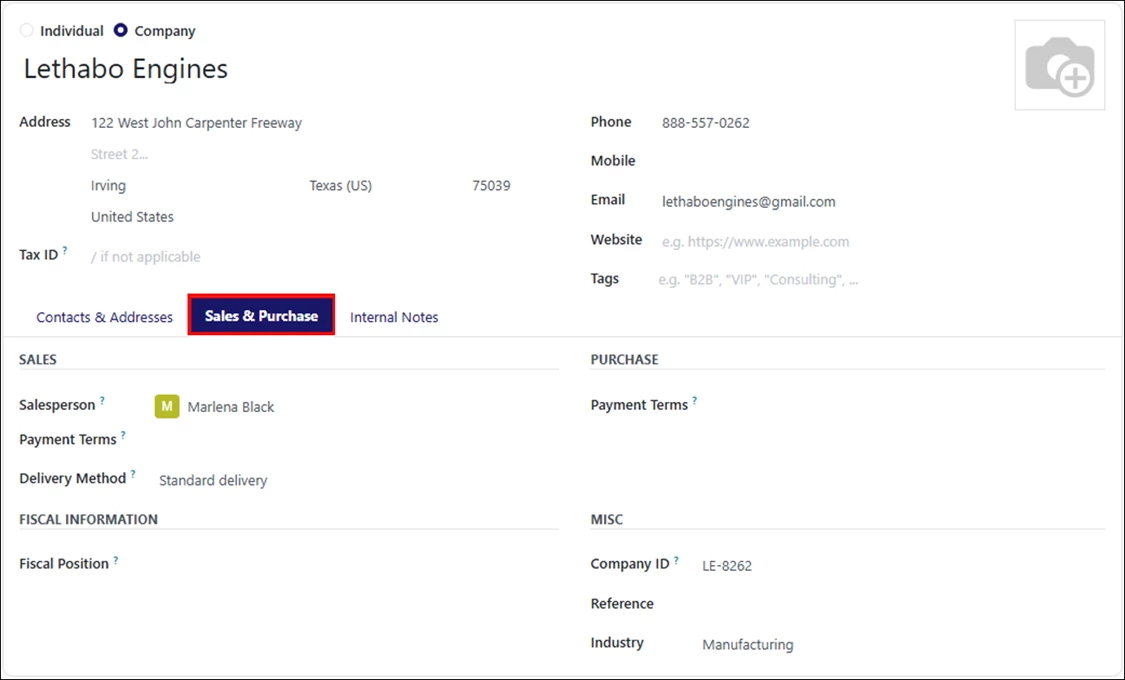
The Sales & Purchase tab allows you to assign a salesperson, define sales and purchase terms, select a delivery method, enter the company ID, and configure additional company details.
Adding a Contact to a Company
Open the Contacts & Addresses tab and click “Add.”
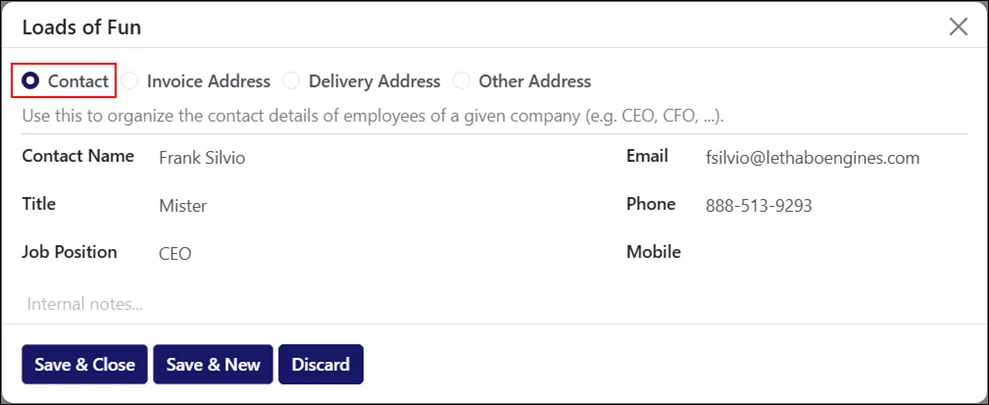
Select the “Contact” radio button.
Enter the contact’s information and add internal notes if needed.
Click “Save & Close” to return to the home screen, or “Save & New” to add another contact to this company.
Adding an Individual
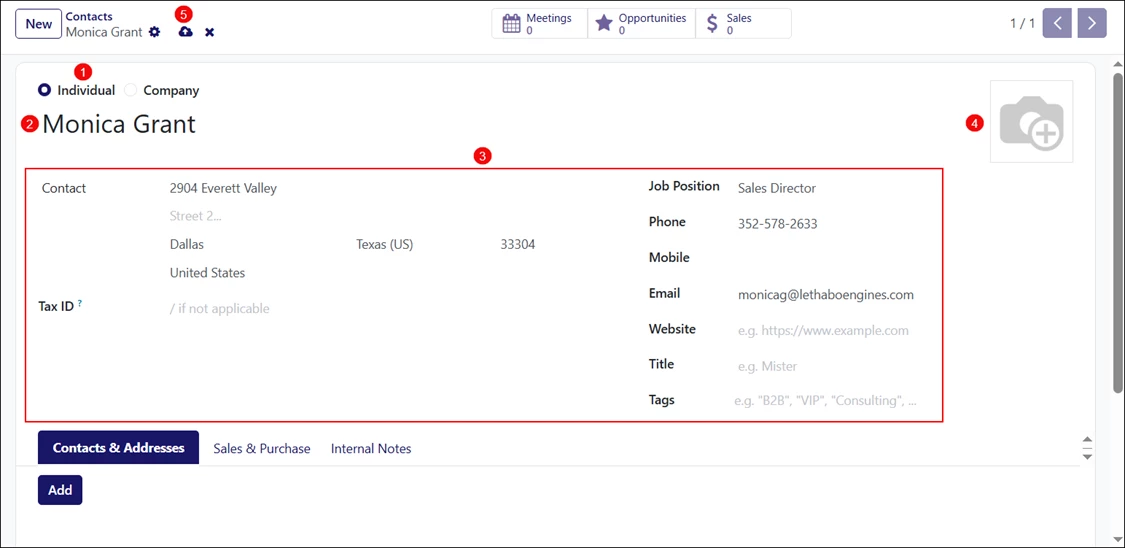
- Select the “Individual” radio button.
- Enter the contact’s name.
- Fill out the applicable fields, such as address, job position, phone number, and email address.
- Click the picture icon to upload a photo or logo, if available.
- Optional – Click the cloud icon to save the changes. If you do not manually save, the system will automatically save after several minutes.